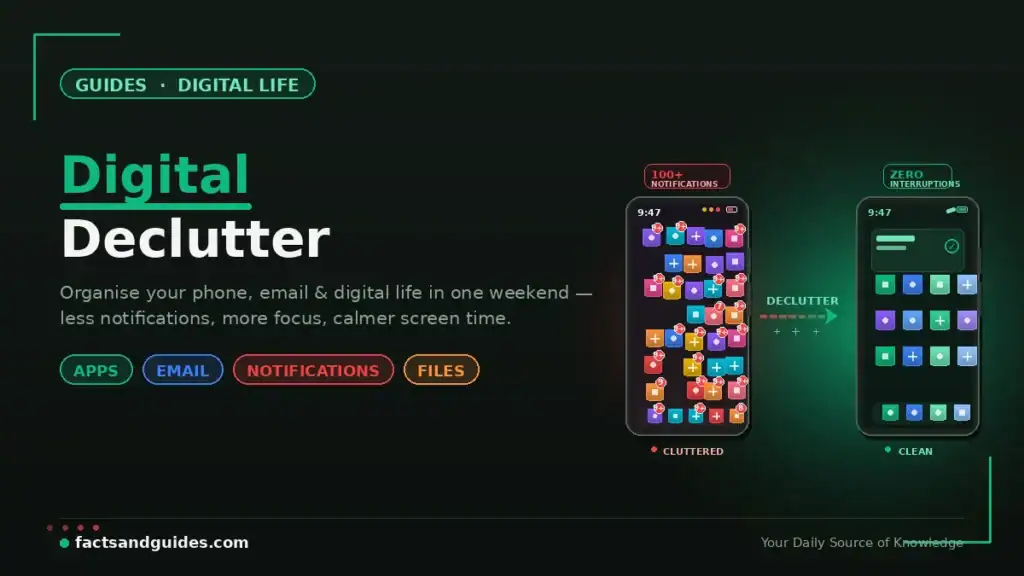
The average person spends over 4 hours per day on their smartphone, has 1,602 unread emails, stores 2,000+ photos they never look at, and receives 80+ notifications daily. Over time, this digital clutter accumulates silently — unused apps draining battery, an inbox full of newsletters you never read, screenshots from 2023, duplicate photos, and a notification stream that interrupts you every few minutes. The mental weight of digital chaos is real, even if invisible.
This digital declutter guide gives you a structured, weekend-sized plan to clean up your phone, email, files, social media, passwords, and screen habits — with checklists, tools, and a monthly maintenance schedule to keep things clean permanently. You do not need to be tech-savvy. You just need one weekend.
- The average phone has 80+ apps — most people actively use only 15–20 Deleting unused apps frees storage AND improves phone speed and battery life Unsubscribing from email lists for 30 minutes saves hundreds of hours of inbox scanning over a year Turning off non-essential notifications reduces phone pickups by 30–50% A password manager replaces remembering 100+ passwords with remembering just 1 Schedule 30 minutes monthly to maintain your digital declutter — prevention beats cure
Digital Declutter Weekend Plan: Your Complete Schedule
| When | Area | Time Needed | Impact |
|---|---|---|---|
| Saturday Morning | Phone — apps, home screen, storage | 60–90 min | ⭐⭐⭐⭐⭐ Highest |
| Saturday Afternoon | Email — inbox cleanup, unsubscribe | 45–60 min | ⭐⭐⭐⭐⭐ Highest |
| Saturday Evening | Notifications — audit and reduce | 20–30 min | ⭐⭐⭐⭐ High |
| Sunday Morning | Files & photos — organise, delete, backup | 60–90 min | ⭐⭐⭐⭐ High |
| Sunday Afternoon | Social media — audit, unfollow, mute | 30–45 min | ⭐⭐⭐ Moderate |
| Sunday Evening | Passwords & security — manager setup | 30–45 min | ⭐⭐⭐⭐⭐ Critical |
| Total | 4–6 hours |
How to Declutter Your Phone: Apps, Home Screen & Storage
Your phone is the device you touch 96 times per day on average. A cluttered phone means a cluttered mind. Here is how to declutter your phone in 60–90 minutes.
Step 1: Audit and Delete Unused Apps (20 min)
Go through every app on your phone. The rule is simple: if you have not used it in 30 days, delete it. Most apps can be reinstalled in seconds if you ever need them again. This typically removes 20–40 apps, freeing 2–5 GB of storage and reducing background battery drain.
Path (Android): Settings → Apps → sort by “Last Used” → uninstall unused apps
Path (iPhone): Settings → General → iPhone Storage → sorted by last used → Offload or Delete
For pre-installed apps you cannot uninstall, disable them instead. Disabled apps cannot run in the background. For more phone speed improvements, read our How to Speed Up Your Android Phone guide.
Step 2: Redesign Your Home Screen (15 min)
Your home screen should contain only apps you use daily — typically 8–12 apps maximum. Move everything else to the app drawer (Android) or App Library (iPhone). Group remaining apps into 3–4 folders by function: Communication, Work, Entertainment, Utilities.
Step 3: Clean Storage — Photos, Downloads, WhatsApp (25 min)
The three biggest storage hogs on Indian phones: WhatsApp media, the Downloads folder, and duplicate/blurry photos.
- WhatsApp: Settings → Storage and Data → Manage Storage → delete forwarded media, large files, and media from groups. This alone can free 2–10 GB.
- Downloads folder: Open Files app → Downloads → delete old PDFs, APKs, and files you do not recognise.
- Photos: Use Files by Google (Android) or the built-in iPhone storage tools to find and delete duplicate photos, blurry images, and old screenshots.
Back up photos you want to keep to Google Photos (15 GB free) or iCloud before deleting from your phone.
Email Inbox Cleanup Tips: From 1,000+ Unread to Inbox Zero
A cluttered inbox creates constant low-grade anxiety. These email inbox cleanup tips will take your inbox from overwhelming to manageable as part of your digital declutter weekend.
Step 1: Unsubscribe Ruthlessly (20 min)
Open your inbox and scroll through the last 30 days. For every newsletter, promotional email, or automated notification you have NOT read, hit unsubscribe. Do not hesitate — if you have not read it in a month, you will never read it. This single action reduces daily email inflow by 30–60%.
Faster method: Search your inbox for “unsubscribe” — this surfaces all automated emails at once. Go through the list and unsubscribe from each one.
Step 2: Archive Everything Older Than 30 Days (10 min)
Select all emails older than 30 days and archive them in one action. They are NOT deleted — they remain fully searchable — but they no longer clutter your inbox. This gives you a clean visual starting point. In Gmail: search “older_than:30d” → select all → archive.
Step 3: Set Up Filters for the Future (15 min)
Create 3–4 email filters/labels to automatically sort incoming mail:
- Finance: Bank alerts, UPI receipts, credit card statements → auto-label, skip inbox
- Newsletters: Any newsletters you chose to KEEP → auto-label, skip inbox, read weekly
- Notifications: Social media, app notifications → auto-label, skip inbox
- Important: Emails from specific people (boss, family, clients) → star and keep in inbox
Gmail: Settings → Filters and Blocked Addresses → Create New Filter
Reduce Screen Time and Notifications: Take Back Your Attention
Notifications are the #1 driver of compulsive phone use. Every buzz, badge, and banner interrupts your focus and triggers a phone pickup. Here is how to reduce screen time and notifications as part of your digital declutter.
Notification Audit (20 min)
Go to Settings → Notifications and review EVERY app. Ask: “Does this app need to interrupt me in real time?” For most apps, the answer is no.
| Keep Notifications ON | Turn Notifications OFF |
|---|---|
| Phone calls | Social media (Instagram, Twitter, Facebook) |
| Messages from real people (WhatsApp, SMS) | News apps |
| Calendar reminders | Shopping apps (Amazon, Flipkart, Myntra) |
| Banking alerts (fraud/OTP only) | Games |
| Work apps (Slack, email — if essential) | Food delivery apps |
| Promotional/marketing from any app |
Screen Time Tools
- Android: Settings → Digital Wellbeing → Set app timers (e.g., 30 min/day for Instagram), enable Bedtime Mode, use Focus Mode during work hours
- iPhone: Settings → Screen Time → Set app limits, enable Downtime (blocks apps during set hours), use Focus modes
- Both: Switch your phone to greyscale mode (removes colour, making apps less visually appealing and addictive). Android: Settings → Digital Wellbeing → Bedtime mode. iPhone: Settings → Accessibility → Colour Filters → Greyscale.
Organize Digital Life: Files, Photos & Cloud Storage
Scattered files across Desktop, Downloads, Google Drive, and WhatsApp make finding anything a frustrating exercise. Here is how to organize your digital life with a simple system that lasts.
Create a Universal Folder Structure (10 min)
Create these 5 top-level folders on your cloud storage (Google Drive, iCloud, OneDrive) and your computer:
- 01_Documents — ID proofs, certificates, resumes, official letters
- 02_Finance — Tax returns, bank statements, insurance policies, investment docs
- 03_Work — Projects, presentations, client files (sub-folder per project/client)
- 04_Personal — Photos, travel, recipes, health records
- 05_Archive — Old files you do not need regularly but want to keep
The number prefixes (01_, 02_) keep folders sorted in the right order across all devices and cloud services.
Photo Cleanup (30 min)
- Delete: Duplicate photos, blurry images, old screenshots, memes you will never look at again
- Keep: Meaningful photos — family, travel, milestones, important documents
- Backup: Upload keepers to Google Photos (15 GB free) or iCloud → then delete from phone to free storage
- Tool: Files by Google identifies duplicates and junk automatically. iPhone users can use Settings → General → iPhone Storage → Review Large Attachments.
Social Media Digital Declutter: Curate Your Feed
Your social media feed is a curated input to your brain. If it is full of content that makes you anxious, envious, or angry, your mental state will reflect that. A digital declutter of your social media takes 30–45 minutes and significantly improves your daily digital experience.
- Unfollow accounts that make you feel worse — comparison-driven influencers, rage-bait news, toxic comment sections. If it does not inform, educate, entertain, or inspire you, unfollow.
- Mute instead of unfollowing if unfollowing feels socially awkward (relatives, colleagues). Muted accounts stay connected but disappear from your feed.
- Leave or mute WhatsApp groups that are inactive or constantly forward memes/forwards you do not want. You can mute permanently without leaving.
- Review app permissions: Settings → Privacy → check which apps have access to your camera, microphone, contacts, and location. Revoke anything unnecessary.
Password Security Audit: A Critical Part of Every Digital Declutter
Most people reuse the same 3–5 passwords across 50+ accounts. A single data breach exposes all of them. Fixing your passwords is the most critical security action in your digital declutter.
Set Up a Password Manager (30 min)
| Password Manager | Price | Best For |
|---|---|---|
| Bitwarden | Free (unlimited devices) | Best free option — open-source, trusted |
| Google Password Manager | Free (built into Chrome/Android) | Easiest for Android/Chrome users |
| Apple Passwords | Free (built into iOS/Safari) | Easiest for iPhone/Mac users |
| 1Password | ~₹250/month | Best premium option — families, teams |
- Step 1: Install a password manager (Bitwarden is the best free option)
- Step 2: Create one strong master password (16+ characters, mix of words + numbers + symbols)
- Step 3: Over the next week, every time you log into any account, save the password to the manager. Change weak or reused passwords to unique, auto-generated ones.
- Step 4: Enable 2FA (two-factor authentication) on all critical accounts — email, banking, social media, cloud storage
For more on protecting your online privacy, read our VPN Explained guide.
Digital Declutter Maintenance Schedule: Keep It Clean Permanently
A one-time digital declutter is valuable but temporary. Without maintenance, clutter returns within months. This schedule keeps your digital life organised permanently.
| Frequency | Task | Time |
|---|---|---|
| Daily (2 min) | Process inbox to zero — reply, archive, or delete every email | 2 min |
| Weekly (10 min) | Delete unused screenshots and downloads, clear WhatsApp media | 10 min |
| Monthly (30 min) | Uninstall apps not used in 30 days, unsubscribe from new junk emails, review notification settings | 30 min |
| Quarterly (1 hour) | Full photo backup + cleanup, file organisation review, password audit, social media feed curation | 60 min |
For more on building productive habits, read our 15 Productivity Techniques Backed by Science and our How to Build a Sustainable Morning Routine guide.